
Play Hula Balua on Mobile - Phone & Tablet Guide
Hula Balua runs natively in any modern mobile browser - no app required. This guide covers which browsers work, how the 6×6 grid adapts to portrait and landscape, what to do if performance is inconsistent, how to use the demo on your phone, and what to check at a mobile casino before depositing.
Contents
Hula Balua Mobile - Overview
ELK Studios built Hula Balua on HTML5, the current standard for browser-based games. HTML5 games run directly in any compatible web browser without plugins, downloads, or native app installations. The game file is served from the casino's content delivery network and renders in your browser, exactly as a website does - the only difference is the level of graphical complexity.
The practical consequence for mobile players is complete flexibility. You can play at any licensed casino that carries Hula Balua on any device with a current browser, without installing anything. You can switch between your phone, tablet, and desktop at any point - your casino account and balance are the same regardless of which device you use to access them.
The 6×6 grid is notably larger than the standard 5×3 layout found in most slots. ELK Studios designed the game to adapt to different screen dimensions, but the physical size of mobile screens - particularly in portrait orientation - does create a genuine display difference compared to a desktop monitor. The cells are smaller in portrait mode on a phone than on a large desktop display. For players who prefer to see the full grid clearly, landscape orientation on a tablet or mid-size phone produces the most comfortable playing experience.
One important note: the game mechanics, RTP, and probability of every event are identical on mobile and desktop. Playing on a phone does not change your statistical experience of the Hula Balua slot - only the visual presentation changes.
Browser Compatibility
Hula Balua is compatible with all current major mobile browsers. Compatibility issues arise almost exclusively from outdated browser or operating system versions - on a fully updated device, the game should run without issues on any of the browsers listed below.
| Browser / Platform | Compatibility | Notes |
|---|---|---|
| Safari on iOS (iPhone / iPad) | Full compatibility | iOS 15 or later recommended; update via Settings → General → Software Update |
| Chrome on Android | Full compatibility | Android 10 or later recommended; update Chrome via Google Play |
| Firefox for Android | Full compatibility | Keep updated; older versions may have WebGL rendering issues |
| Samsung Internet | Compatible | Version 14 or later; pre-installed on Samsung devices |
| Edge for Android / iOS | Compatible | Chromium-based; behaves like Chrome for game compatibility |
| Opera Mobile | Generally compatible | Some casino platforms may not detect Opera correctly; use Chrome if issues arise |
| In-app browsers (social media apps) | Not recommended | Facebook, Instagram, TikTok in-app browsers have inconsistent HTML5 support; open directly in a standalone browser |
If you experience display problems - missing graphics, frozen animations, or an error message - the most reliable fix is to clear your browser cache and reload the page, then try in a different browser. If the issue persists across multiple browsers on the same device, check whether your operating system is up to date. Game providers do not support operating systems that are two or more major versions behind the current release.
Portrait vs Landscape - Which Is Better?
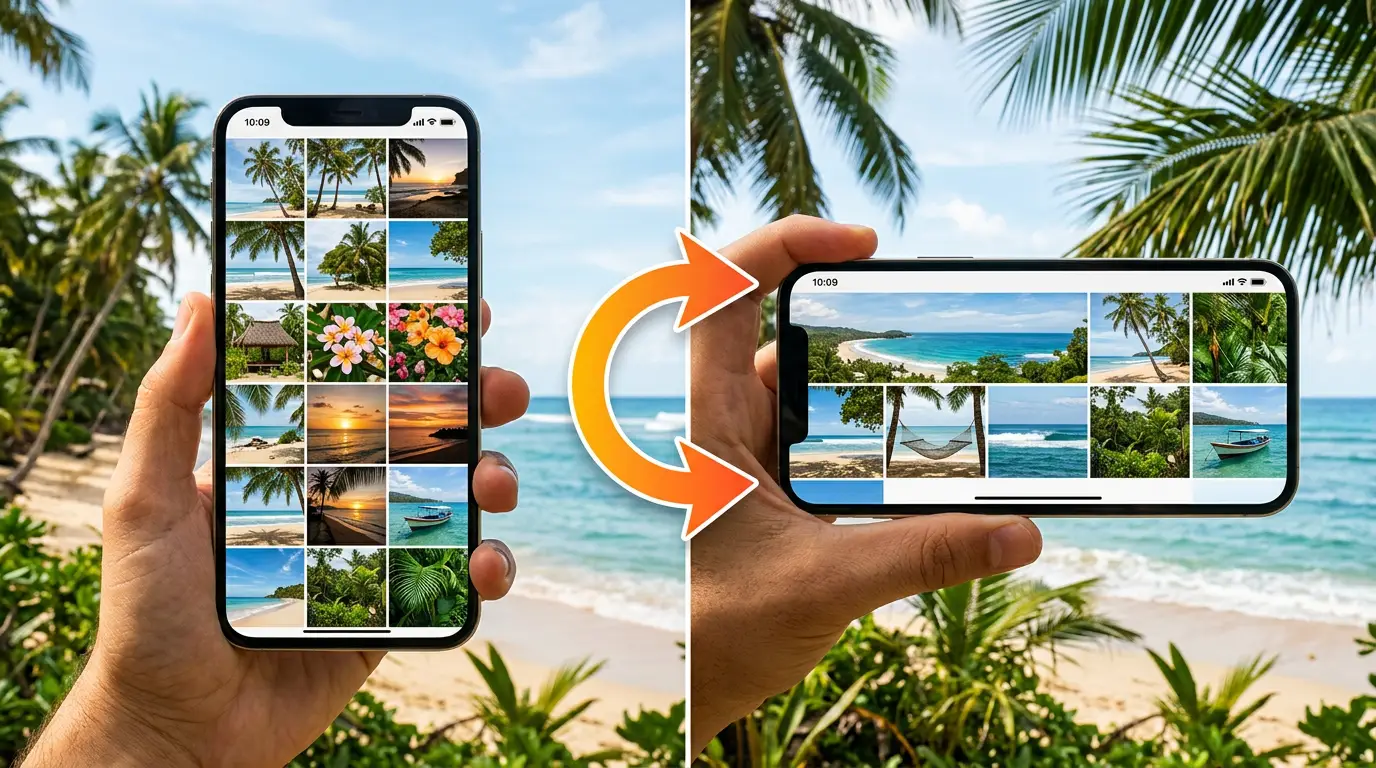
Hula Balua adapts to both portrait and landscape orientations, but the experience differs noticeably between them. The 6×6 grid contains 36 cells, and the visual clarity of each cell depends on how much screen space is available for the grid area. More space per cell makes the game easier to follow - particularly during active redrop sequences where multiple events happen simultaneously across the grid.
| Orientation | Grid display | Best for | Limitation |
|---|---|---|---|
| Landscape (phone) | Full width of screen; cells are larger | Active play; tracking grid state during redrops | Game controls may overlap grid on smaller phones |
| Portrait (phone) | Grid compressed into narrower view; cells smaller | Casual play; one-handed operation | Individual cells harder to read; merge events harder to track |
| Landscape (tablet) | Largest grid display available on mobile | Optimal experience; matches desktop quality closely | Requires two hands to hold tablet; less portable |
| Portrait (tablet) | Good display; more space than phone portrait | Comfortable compromise; readable cells | Not as wide as landscape; slightly compressed grid |
The recommendation for serious play sessions is landscape orientation on whatever device you are using. The larger cell size makes it easier to follow merge events, track the global multiplier display, and identify scatter symbol positions during redrops. Portrait mode is fine for casual sessions where you are less focused on following each event step-by-step.
On iPhones with a physical rotation lock, ensure the lock is disabled before starting the game. On Android, pull down the notification shade and confirm the rotation setting is set to auto-rotate rather than fixed. The game itself adapts automatically when the device orientation changes - you do not need to reload.
Performance and Connection
Hula Balua is a graphically intensive game. The animated 6×6 grid, the Elmo Redrop animation, and the visual effects during merge chains and bonus rounds require a reasonable level of processing capability and a stable data connection. Most current smartphones handle the game without issue, but older devices or slow connections may produce sub-optimal performance.
| Issue | Likely cause | Fix |
|---|---|---|
| Animations stutter or freeze | Device processing limit or too many background apps | Close background apps; disable low-power mode; try a different browser |
| Game takes very long to load | Slow connection or server congestion | Connect to Wi-Fi; try during off-peak hours; check casino server status |
| Game disconnects mid-session | Unstable mobile data or Wi-Fi dropout | Use stable Wi-Fi for real-money play; avoid playing in moving vehicles |
| Screen dims or locks during play | Auto-lock / screen timeout activated | Increase screen timeout to 5+ minutes in device settings while playing |
| Audio not working | Device muted or browser audio blocked | Check device volume; some browsers require user interaction before enabling audio |
| Touchscreen unresponsive | Browser tab overloaded or memory issue | Close the tab, clear cache, reload game; restart browser if needed |
For real-money sessions, Wi-Fi is strongly preferable to mobile data. Mobile data connections can be interrupted without warning - particularly in buildings or vehicles - and a disconnection during a bonus round raises questions about spin continuity that require casino support to resolve. A stable broadband Wi-Fi connection eliminates this risk entirely.
Battery level is a practical consideration during longer sessions. Hula Balua's animated graphics drain battery faster than most mobile activities. Starting a session with a fully charged device or playing while plugged in prevents the abrupt session end that occurs when a device powers down unexpectedly mid-spin.
Using the Hula Balua Demo on Mobile
The free demo on this page is fully accessible on any mobile device. It runs identically to the desktop version - the same game engine, the same mechanics, the same bonus structure. Playing the demo on your specific phone or tablet before depositing at a casino is particularly useful for confirming that the game runs smoothly on your device before you commit real money.
To launch the demo on mobile:
- Open this page in your mobile browser (Safari, Chrome, or your preferred browser).
- Scroll to the demo section and press the "Launch Hula Balua Demo" button.
- Wait for the loading indicator to disappear - the game initialises in the same frame.
- Rotate to landscape for the clearest view of the full 6×6 grid.
- Use the in-game bet controls to set your virtual stake and begin playing.
If the demo does not load after pressing the button, check that your browser is not blocking content from third-party domains - some mobile browsers have strict content blocking settings that prevent the game frame from loading. In Safari, check Settings → Safari → Block All Cookies and Content Blockers. In Chrome, disable any active ad-blocking extensions and reload the page.
The demo is a genuinely useful preparation tool for mobile play specifically: it lets you verify that the touch controls are responsive on your device, that the animation quality is acceptable, and that you can comfortably read the grid in your preferred orientation - all without spending anything. For session planning advice that also applies to mobile, see the Hula Balua strategy guide.
Choosing a Mobile Casino for Hula Balua
Not all casinos that carry Hula Balua offer an equally good mobile experience. The game itself adapts to mobile natively, but the casino platform surrounding it - account management, deposits, withdrawals, customer support - varies significantly in mobile quality between operators.
When evaluating a casino for mobile play, check these specific points before depositing. The Hula Balua FAQ also covers common questions about choosing an operator and responsible gambling tools.
Check these specific points before depositing:
Mobile UI quality
Test the casino's homepage on your device before registering. A well-built mobile casino site should load quickly, have readable navigation, and allow account creation and payment in a mobile browser without requiring a desktop. Poor mobile UI on the casino side will frustrate every interaction outside the game itself.
Mobile withdrawals
Some older casino platforms have withdrawal flows that are broken or cumbersome in mobile browsers. Before your first deposit, navigate to the cashier or wallet section on your phone and confirm that the withdrawal form is functional. A casino where you can only withdraw from a desktop is significantly less convenient for mobile-primary players.
Biometric login
The best mobile casino experiences support fingerprint or Face ID authentication for login - eliminating the need to type passwords on a small touchscreen each session. This is a quality-of-life feature, not a requirement, but it meaningfully improves the experience of frequent mobile play.
Hula Balua in mobile game library
Some casino platforms organise their mobile game library differently from desktop. Confirm Hula Balua appears in the mobile version of the casino's game library specifically - not just on desktop. A quick search in the game library on your mobile browser before registering takes thirty seconds and prevents the frustration of a missing title after deposit.
Practical Mobile Play Tips
Check battery level before starting
Hula Balua's animations consume significant battery. Start a real-money session only when your device has at least 50% charge, or play while plugged in. A device shutting down mid-bonus-round is a frustrating and potentially confusing experience - the casino's system will record the spin outcome correctly, but you may need to contact support to confirm the result.
Use Wi-Fi for real-money sessions
Mobile data is convenient but less reliable than Wi-Fi for sustained gameplay. Interruptions mid-spin are handled by the casino server - the outcome is preserved - but they create a poor play experience and require manual reconnection. Save mobile data for demo sessions; use Wi-Fi for real-money play.
Enable auto-rotate for landscape play
Confirm your device's rotation lock is disabled before loading the game. Hula Balua adapts automatically when you rotate, but if the lock is engaged, the screen will not respond. On iOS, swipe down from the top-right for Control Centre and check the rotation icon. On Android, pull down the notification shade.
Adjust screen brightness
Auto-brightness can dim the screen during extended sessions, particularly if you are playing in a dim environment. Set brightness manually at a comfortable level before starting. High brightness also drains battery faster, so find a balance that works for your setup and session length.
Enable Do Not Disturb
Incoming calls, notifications, and alerts can interrupt a game session at critical moments - particularly during a bonus round where the screen requires your attention. Enable Do Not Disturb mode on your device before starting a session. You can configure it to allow calls from specific contacts while blocking everything else.
Set a session timer before you start
Mobile play is more susceptible to extended unplanned sessions than desktop play - the convenience of the format makes it easier to continue "just a few more spins." Set a phone timer for your planned session length (30-45 minutes) before pressing play. When it goes off, it is a deliberate signal to stop and assess, not automatically continue.
Frequently Asked Questions
Do I need to download an app to play Hula Balua on mobile?
No. Hula Balua is built on HTML5 and runs entirely in your mobile browser - Safari on iOS, Chrome on Android, or any other current browser. No app download or installation is required. The game loads directly from the casino's web platform or from the demo on this site when you press the launch button.
Which mobile browsers are compatible with Hula Balua?
Any modern browser with current HTML5 support will run Hula Balua correctly. This includes Safari on iOS 15+, Chrome on Android 10+, Firefox for Android, Samsung Internet, and Edge for Android. If you experience display issues, update your browser to the latest version before assuming a compatibility problem with the game itself.
Is the Hula Balua demo available on mobile?
Yes. The demo on this page is fully accessible on smartphones and tablets. Press the launch button and the game loads in your mobile browser without any additional steps. The demo runs the same game engine as the real-money version - all mechanics, including the bonus rounds, are present and functional in mobile demo mode.
Does mobile play affect the RTP or game mechanics?
No. The game engine is identical across desktop and mobile. RTP, volatility, symbol probabilities, and all mechanics (merging, redrops, bonus triggers, X-iter™) function the same way regardless of your device. The only difference is the display - the 6×6 grid adapts to your screen size and orientation, but the underlying math model does not change.